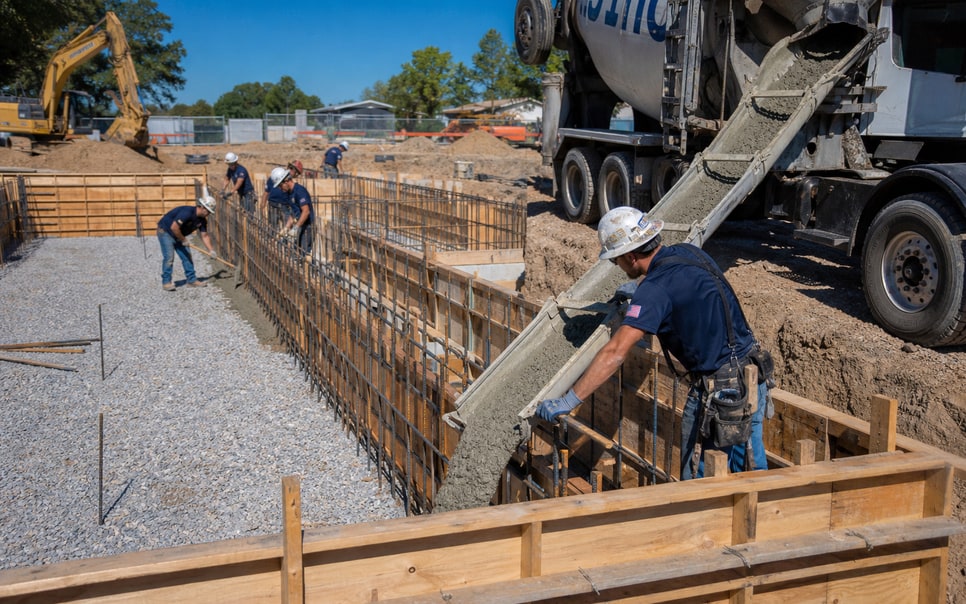


Scope changes lose context
Keep revisions, approvals, and added work connected to the same project.
General Contractors · Los Angeles & Southern California
Connect scope, estimates, schedules, subs, field updates, and closeout so projects keep moving without every coordination decision returning to one person.

These are the moments that turn routine project coordination into owner dependency.
Keep revisions, approvals, and added work connected to the same project.
Keep trade sequencing, availability, and project timing visible in one place.
Keep photos, site notes, blockers, and progress connected to the project.
Give office, field leads, and subs enough clarity to move the next step forward.
Yoeweb clarifies who owns scope, scheduling, trade coordination, field updates, and closeout so projects move forward without owner intervention.
The next layer may be training, operating structure, or BOS Setup when appropriate.
Built for general contracting teams that need clear communication across owners, office staff, project managers, field leads, and subcontractors—including bilingual workflows when needed.
A general contracting project should move through a known path with clear ownership at each handoff.
01
Capture the opportunity and assign the next action.
02
Keep project requirements, site notes, and assumptions together.
03
Build pricing from the same approved scope and project details.
04
Keep contracts, revisions, and approvals tied to the project.
05
Align subs, materials, permits, and project timing.
06
Coordinate trade sequence, field readiness, and milestones.
07
Keep field updates, blockers, photos, and progress visible.
08
Track punch items, approvals, documents, and remaining work.
We clarify how work moves, who owns each handoff, and what the team needs. Then we implement only the layers that support that model.
Define the owners, handoffs, and information that matter from scope through closeout.
Add training, structure, workflow changes, and technology only where needed.
Use real projects to see what works, find friction, and improve the next cycle.
BOS Setup
When software is the right layer, BOS Setup gives office staff, project managers, field leads, and owners one shared place for the project information and workflow already defined.
BOS Setup supports the operating method; it does not replace it or the judgment the team still needs.
Scope
Keep requirements, assumptions, revisions, and approvals connected.
Estimating
Build pricing from the same project information.
Sub Coordination
Keep trade assignments, timing, and responsibilities visible.
Scheduling
Align milestones, field readiness, and project sequence.
Field Visibility
Keep updates, photos, blockers, and progress connected.
Closeout
Track punch items, documents, and remaining work.
It grows when scope, schedules, trade coordination, field updates, and approvals are scattered or ownership is unclear, so routine coordination keeps returning to one person.
No. We start with how your team actually works and clarify the handoffs creating dependency, confusion, or rework.
No. Not every business needs the same implementation. BOS Setup is used when software is the right layer for the operating model.
Scope, approvals, trade assignments, schedule changes, field updates, photos, blockers, and closeout items should travel with the same project.
Explore contractor industries with similar operational handoffs, field coordination, estimating, scheduling, and owner-dependency challenges.
Keep scope, selections, change orders, office, subs, and crews aligned on one project record.
Keep inspections, estimates, crews, and follow-up connected through one clearer process.
Keep measurements, estimates, scheduling, pours, and crew assignments connected so field and office share the same operational picture.
Tell us where projects keep losing context between scope, coordination, and field execution. We’ll help identify the next step that fits your business.